if ( ! empty( $posts ) ) { wp_redirect( get_permalink( $posts[0] ), 302 ); exit; } } /** * Remember that this visitor has a discount so HollerBox discount popups stay hidden. * Set when they land on any ?discount= link (before EDD redirects it away) or when EDD applies a discount. */ add_action( 'init', 'spc_discount_link_cookie', 1 ); function spc_discount_link_cookie() { if ( ! empty( $_GET['discount'] ) ) { spc_set_has_discount_cookie(); } } add_action( 'edd_cart_discount_set', 'spc_set_has_discount_cookie' ); function spc_set_has_discount_cookie() { if ( headers_sent() || ! empty( $_COOKIE['spc_has_discount'] ) ) { return; } setcookie( 'spc_has_discount', '1', time() + 30 * DAY_IN_SECONDS, COOKIEPATH ? COOKIEPATH : '/', COOKIE_DOMAIN, is_ssl(), false ); } /** * Hide any HollerBox popup whose button links to a ?discount URL when the visitor already has a discount. * Done in the browser (not PHP) because the popup list is baked into cached page HTML. */ add_action( 'wp_enqueue_scripts', 'spc_hollerbox_hide_discount_popups', 20 ); function spc_hollerbox_hide_discount_popups() { if ( ! wp_script_is( 'hollerbox-popups', 'enqueued' ) ) { return; } wp_add_inline_script( 'hollerbox-popups', " if ( document.cookie.indexOf( 'spc_has_discount=1' ) !== -1 && window.HollerBox && Array.isArray( HollerBox.active ) ) { HollerBox.active = HollerBox.active.filter( function ( p ) { return ! ( p.button_link || '' ).includes( '?discount' ); } ); }", 'before' ); } How to sell any type of product with Sell Anything add-on - Client gallery help for Sunshine Photo Cart Skip to content

How to sell any type of product with Sell Anything add-on

With the Sell Anything add-on, you can sell any kind of non-image based product you wish like shirts, books, or any kind of traditional product you wish alongside your client photo galleries.

Creating products

To create these types of products, it is identical to the typical method of creating a product in Sunshine Photo Cart. The only difference is you will select the "General" product type:

Screenshot of where to select General product type

Creating Product Listings Page

These products are not included in your normal client gallery add-to-cart flow as they will not be associated with a specific image. To display these products on your site:

  • Create a new page on your site, call it whatever you wish
  • Include the [sunshine_sell_anything] shortcode somewhere on the page

[sunshine_sell_anything price_level="ID"]

The shortcode includes one optional attribute to define which price level you want to use to show pricing.

This will output a list of products organized by category:
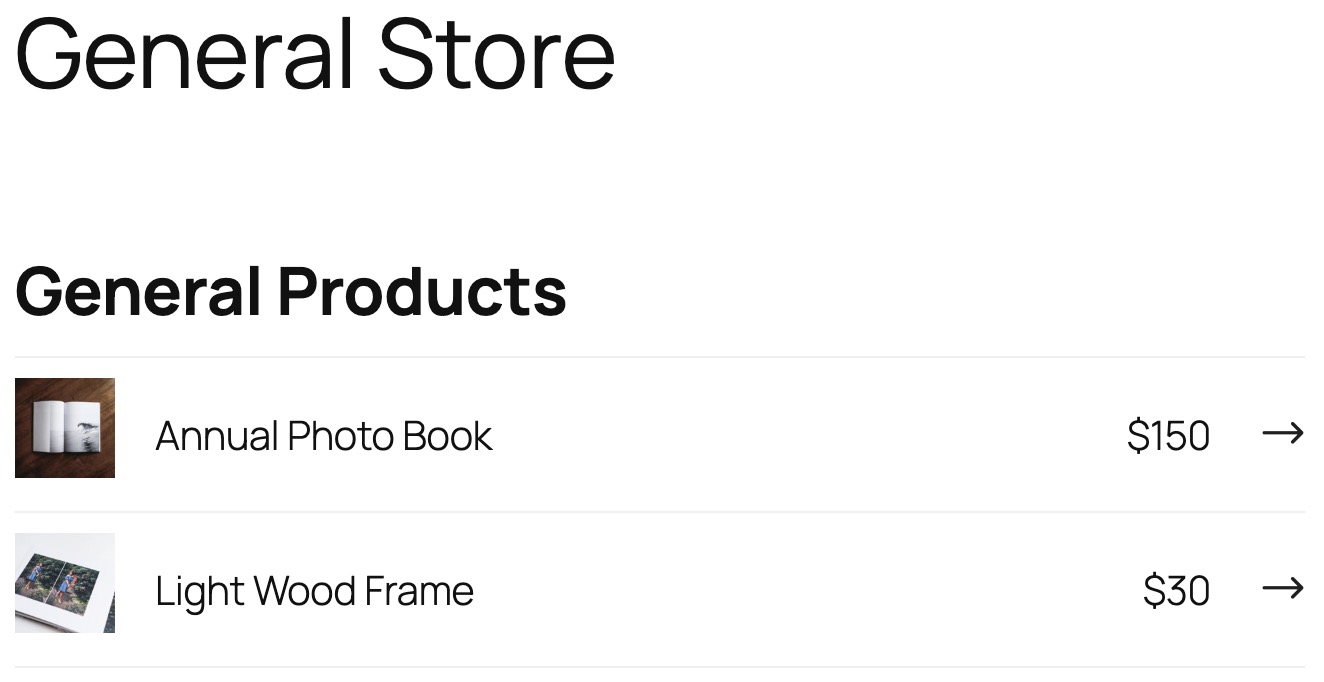
Screenshot of shortcode output displaying available products

Still need help?

If you have not yet found your answer in the documentation articles, please contact support

Sunshine Photo Cart for WordPress