
Video Sales
The Video Sales addon lets you sell videos alongside photos in your Sunshine Photo Cart galleries. Customers see a preview version of your video before purchasing, then receive the full-quality original as a digital download after checkout.
Requirements
- Sunshine Photo Cart (core plugin)
- Digital Downloads addon (required for delivering purchased videos to customers)
How to Set It Up
- Install and activate the Video Sales addon.
- Make sure the Digital Downloads addon is also installed and activated.
- When Video Sales is activated, it automatically creates a Video Download product in your store. This is the product customers will purchase when they buy a video.
That's it for the basic setup. You can start uploading videos to your galleries right away.
Customize the Video Product
The default Video Download product works out of the box, but you can customize it:
- Go to Sunshine > Products and find the Video Download product.
- Edit the name, price, and other settings as needed.
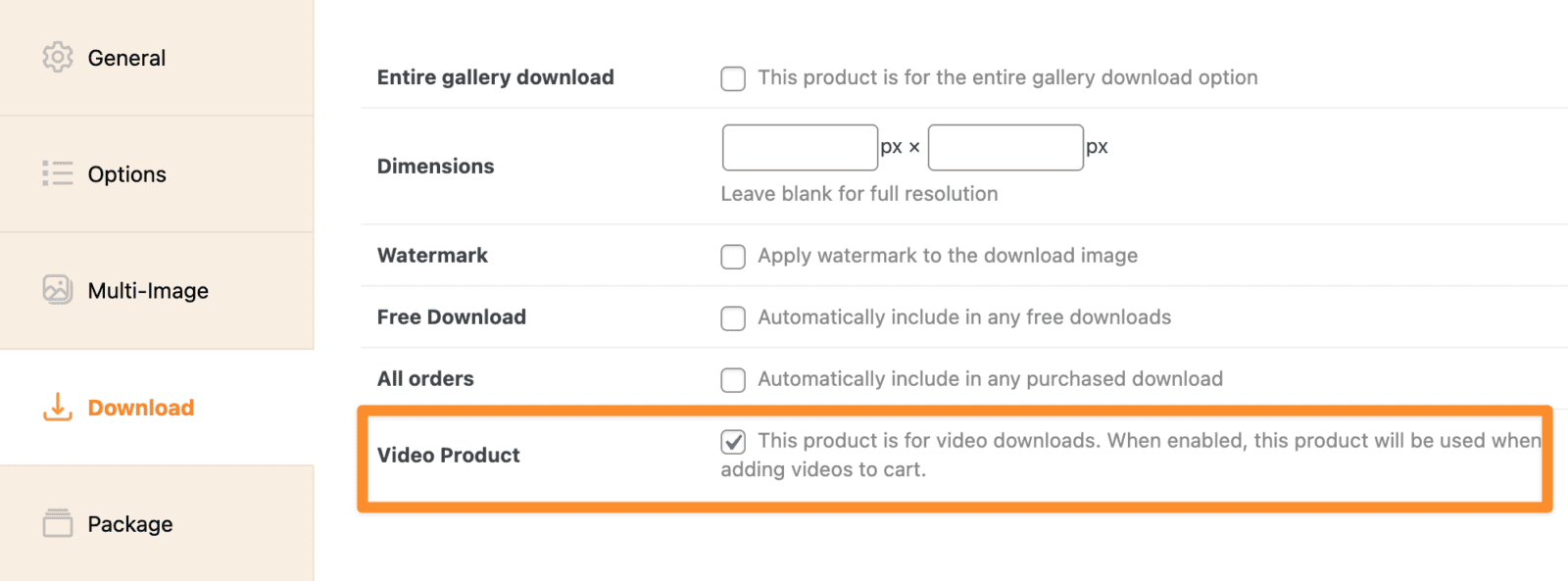
If you want to offer different pricing tiers, you can create additional download products and mark them as video products by checking the Video Product checkbox on the product edit screen.
Uploading Videos to a Gallery
Videos are uploaded through the same interface you use for photos.
- Go to Sunshine > Galleries and edit a gallery.
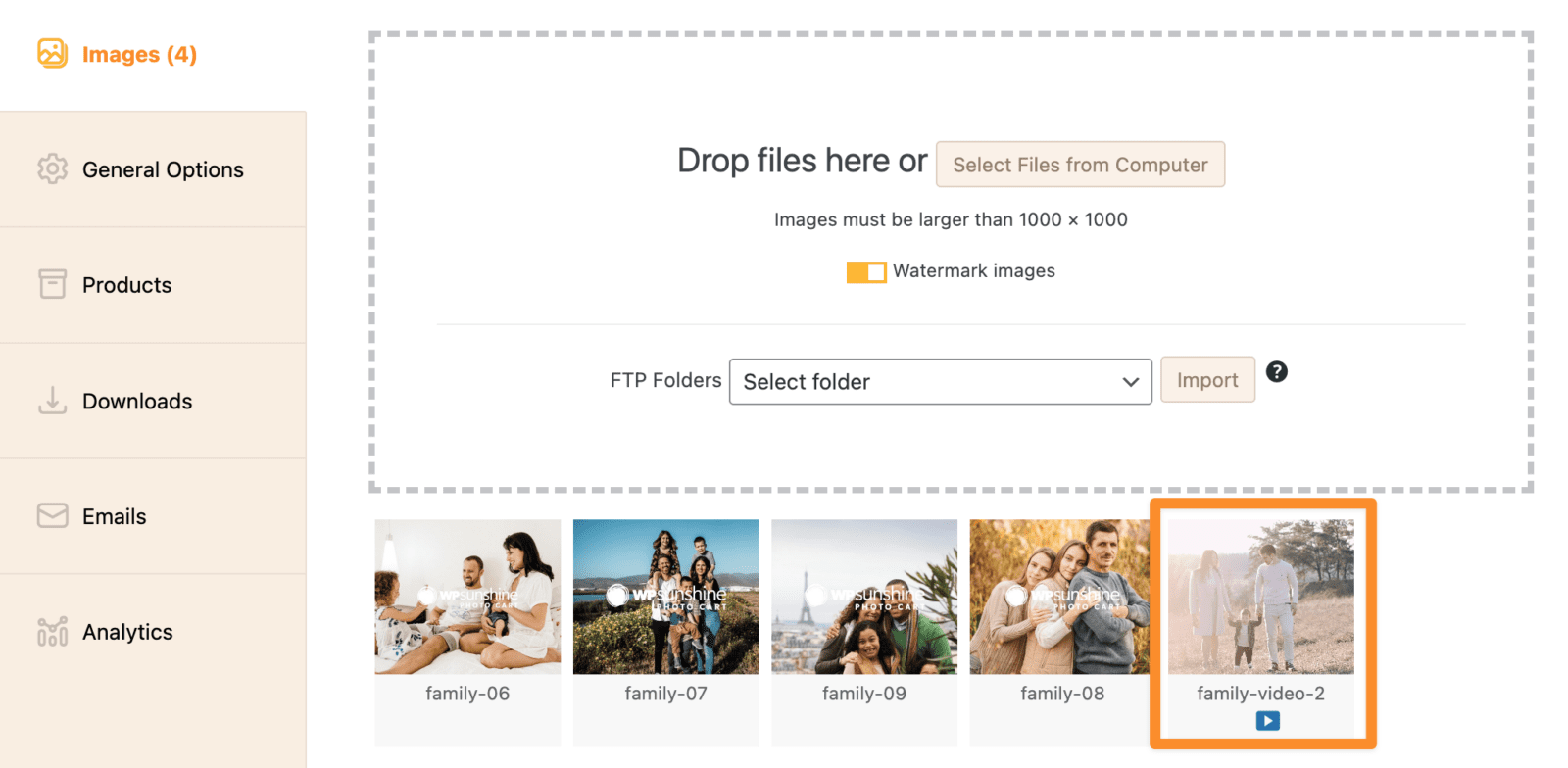
- Drag and drop video files into the upload area, or click to browse for files. The plugin accepts MP4, MOV, AVI, WMV, FLV, WebM, and MKV formats.
- The plugin automatically detects video files and handles them differently from photos. It extracts a thumbnail frame from the video to use as the gallery preview image.
- The video appears in your gallery list with a video indicator badge.
Managing Videos on the Attachment Edit Screen
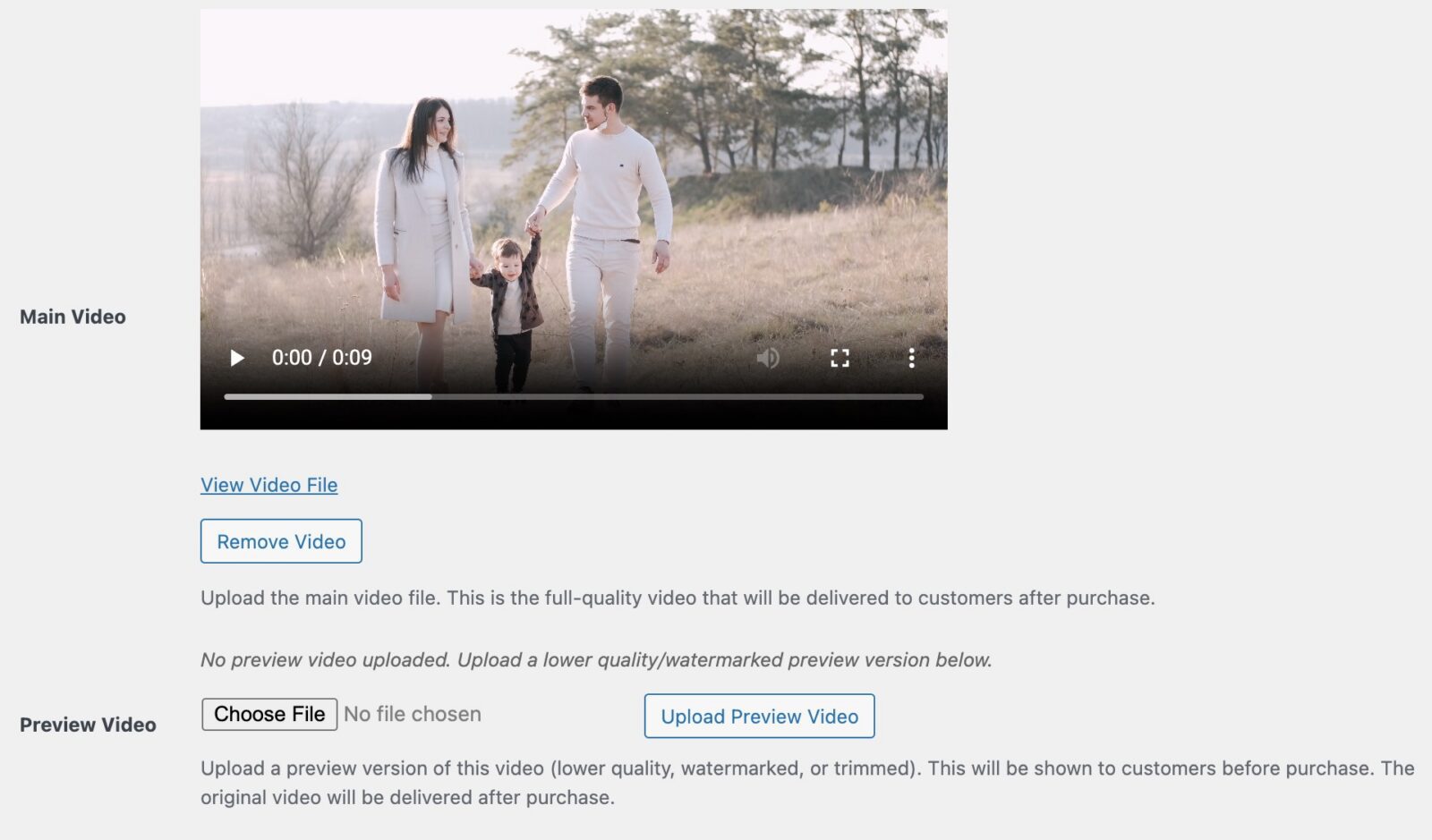
You can also manage video files from the WordPress media library. When you click on an image that has a video attached, or want to manually attach a video to an existing image, you'll find video management fields on the attachment edit screen.
Main Video
This is the full-quality video file your customers receive after purchase. When you upload a video through the gallery upload area, the main video is set automatically. You can also upload or replace it here.
Preview Video
The preview video is what customers see before purchasing. This is typically a lower-quality or watermarked version of the original. You create the preview video yourself using your preferred video editing software, then upload it here.
- Accepted formats: MP4, WebM, OGG
- Maximum file size: 500 MB
If no preview video is uploaded, the original full-quality video will be shown to customers. For most photographers, uploading a watermarked or lower-resolution preview is strongly recommended to protect your work.
How It Works for Customers
- Gallery view -- Customers see a thumbnail image with a play button overlay for each video in the gallery.
- Single video page -- When they click a video, they see a video player with the preview version (or the original if no preview is uploaded).
- Add to cart -- Customers can add the video to their cart. Each video can only be added once (quantity is always 1).
- Purchase and download -- After completing checkout, the customer receives a download link for the full-quality original video through the Digital Downloads system.

Cloud Storage Compatibility
Video Sales works with both the Sunshine Cloud Storage addon and the WP Offload Media plugin. Video files are automatically offloaded to your cloud storage provider along with your photos. When a video or its preview is deleted, the cloud copy is cleaned up automatically.
Lightbox Support
If you have the Sunshine Lightbox addon installed, videos play directly in the lightbox alongside your photos. Customers can browse through a gallery and watch video previews without leaving the lightbox view.

Notes
- Each video can only be purchased once per order (quantity is locked to 1).
- Preview videos are hidden from the WordPress media library to keep things tidy.
- If you delete an image that has a video attached, the video file and any preview or thumbnail attachments are automatically cleaned up.
- When a customer downloads a purchased video, they always receive the full-quality original -- never the preview.
Still need help?
If you have not yet found your answer in the documentation articles, please contact support