Sunshine Photo Cart 3.8.2 is now available. The main addition is Gallery Terms, which asks visitors to agree to your terms before they see a gallery's photos and keeps a record of who agreed.
Gallery Terms
Gallery Terms lets you make your rules clear before a client ever sees the proofs, like not saving them, screenshotting them or removing the watermark. Visitors see your terms with a checkbox, and the photos only show once they agree.
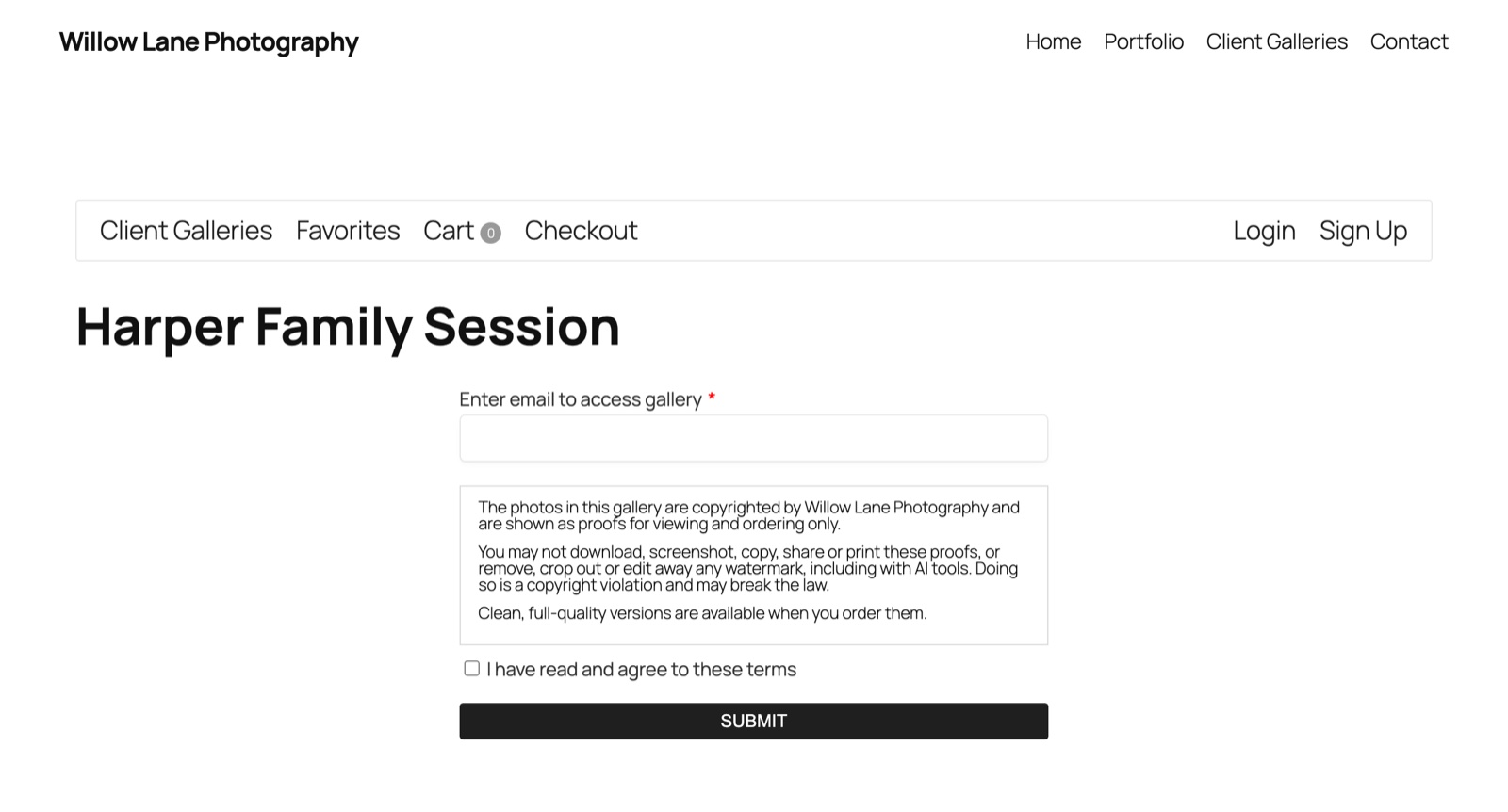
The part I care about most is the record. Sunshine saves who agreed, when, and the exact wording they agreed to. Guests also give their email address when they agree (you can turn that off), so every agreement has a name or email attached. You can see the list on each gallery's new Terms Agreements tab and on each customer's profile, and click any entry to read the exact terms that person saw.
To set it up, go to Sunshine > Settings > Galleries and find Gallery Terms. Sunshine starts you off with sample wording that uses your business name, which you can keep or rewrite. You can ask for terms on every gallery, or turn on Terms for only the galleries you choose. It also works on the same form as a gallery password or email, so visitors fill it all in at once.
Visitors only agree once for all your galleries. Logged-in customers have it saved to their account, so they aren't asked again on another device. If you change your wording later, everyone is asked to agree to the new version, and the records for the old version stay as they were. The Gallery Terms doc covers each setting.
See What Led to Each Order
The Advanced Analytics add-on also has an update out, and it adds a Journey tab to every order. It lists what the client did before buying, oldest first: the galleries and photos they viewed, the photos they favorited, what they searched for and what they added to the cart. It works for guests too, not only clients with an account.
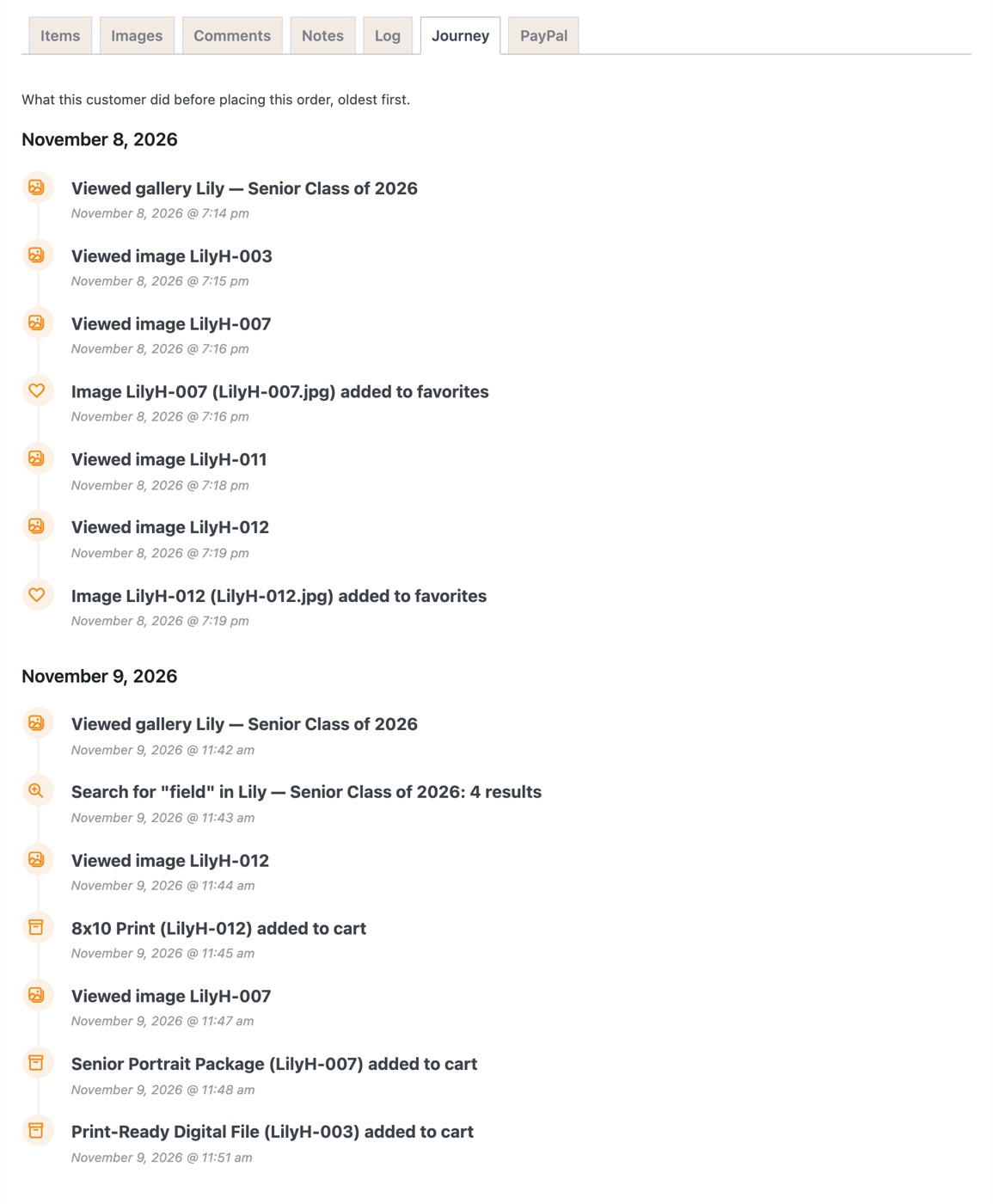
In this example, a parent looked through the senior gallery one evening, favorited two photos, and came back the next morning to order prints of exactly those two plus a digital file.
The same update adds a time limit for keeping view records, a Clean Up Customer Activity tool for sites that have built up millions of them, and support for cookie banners that use the WP Consent API (like Complianz). The customer activity doc covers each one.
Other improvements
- License keys: add-ons in your Pro, Plus or Basic plan now all use your plan's key, and the Licenses screen lists them under it instead of asking for a key for each one. When there's a problem with a license, the message at the top now says what it is and links straight to the Licenses screen.
- Server space: images you add to pages, posts or shop products no longer get extra copies at Sunshine's gallery sizes, which nothing showed.
- Checking folders for new photos now runs on schedule on hosts where WP-CLI runs scheduled tasks.
- Large sites: the Media Library now loads on sites with thousands of galleries on hosts that limit how long a database query can be.
Update now
Gallery Terms is part of the free Sunshine plugin, so update from your WordPress dashboard the usual way and you'll find it under Settings > Galleries. If you're new here, you can get started with Sunshine for free.
Thanks for reading, and thank you for trusting Sunshine with your galleries.