
Cache plugins and getting them to work with Sunshine Photo Cart
Caching makes your site faster by saving a finished copy of a page and handing that to the next visitor, instead of building the page again from scratch every time. It works well for pages that look the same to everyone, and it needs a little help for pages that don't.
Your site has both kinds. Blog posts and your about page look the same to every visitor. A cart, a checkout, or a gallery someone has unlocked with a password is personal to one person, and handing that copy to somebody else causes real problems like a cart that won't update or a password protected gallery that won't load.
How Sunshine tells your cache what's personal
Sunshine keeps track of a visitor using a cookie named sunshine3_session, and that cookie is the signal your cache needs.
The cookie is only set once there is genuinely something to remember about that person: an item in their cart, a favorite they marked, or a gallery password they entered. Somebody reading your blog or browsing a public gallery never gets one. When the last thing worth remembering goes away, such as after a cart is emptied, the cookie is removed again.
This matters because almost every cache plugin and host-level cache skips any page that arrives carrying a cookie. Since most of your visitors never get one, most of your pages can be served from cache the fast way.
The setting to look for
The rule you want is a cookie exclusion rather than a URL exclusion. Tell your cache to skip the cache whenever the sunshine3_session cookie is present.
Excluding by cookie is more precise than excluding by URL, and it means your galleries still get the speed benefit. A gallery is served from cache to someone looking at it for the first time, and served fresh the moment that person puts something in their cart.
Cache plugins each name this differently. Look for a setting called something like "Never cache when these cookies are present," "Cookie exclusions," or "Ignore cache for cookies." Here are the relevant pages for some common plugins:
If you can't find it, searching for "[your cache plugin] exclude cookie" usually turns up their documentation.
If your cache can only exclude by URL
Some caches, particularly at the hosting level, only let you exclude specific URLs. That works too. Exclude the pages Sunshine creates that are always personal to one visitor:
- Account
- Cart
- Checkout
- Favorites
You don't need to exclude your galleries this way. If you've customized your URLs, adjust the paths to match what you set.
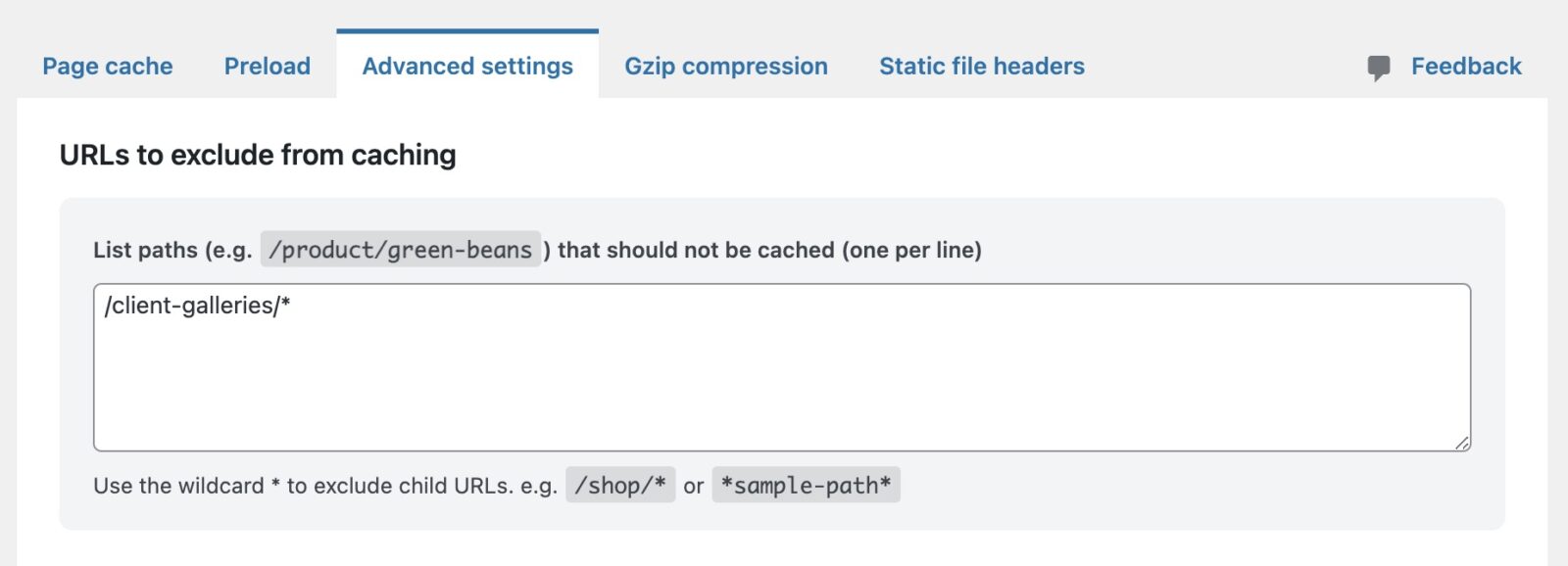
Example exclusion rules for the WP Optimize plugin
If your host caches at the server level
Plenty of hosts cache pages for you before WordPress is even involved. Sunshine sends a "don't cache this" header with the account, cart, checkout, and favorites pages, and with any page viewed by someone who has the sunshine3_session cookie. Most server caches respect that header, so those pages aren't saved for the next visitor.
A server cache can still hand a saved gallery page to someone who has since added to their cart, though, so the cookie rule is still worth setting up. Some hosts give you controls in your WordPress admin or in your hosting control panel, and some don't. If you can't find the setting, ask their support team how to bypass the cache when a specific cookie is present, and give them the name sunshine3_session. It's a common request and they'll know what to do with it.
For developers
Two filters change how the session cookie behaves if you need the old always-on behavior back:
sunshine_session_lazy_cookie— return false to set the cookie on every request rather than waiting until there's something to remember.sunshine_session_destroy_when_empty— return false to keep the cookie after the last item is gone.
Most sites should leave both alone. Turning either off means more of your pages carry a cookie, which means fewer of them can be cached.
A third filter, sunshine_personal_pages, controls which Sunshine pages always send the "don't cache this" header. It receives an array of page keys, account, cart, checkout, and favorites by default. Add a key to cover another Sunshine page.
Still need help?
If you have not yet found your answer in the documentation articles, please contact support