
Admin Gallery Navigator
The Gallery Navigator gives you a bird's-eye view of your entire gallery structure in one place. Instead of scrolling through a flat list in the WordPress admin, you can see parent-child relationships, search across all galleries, and drag to reorder — all from a single popup.
Opening the Navigator
- Go to Sunshine Photo Cart > Galleries in your WordPress admin
- Click the Gallery Navigator button at the top of the gallery list
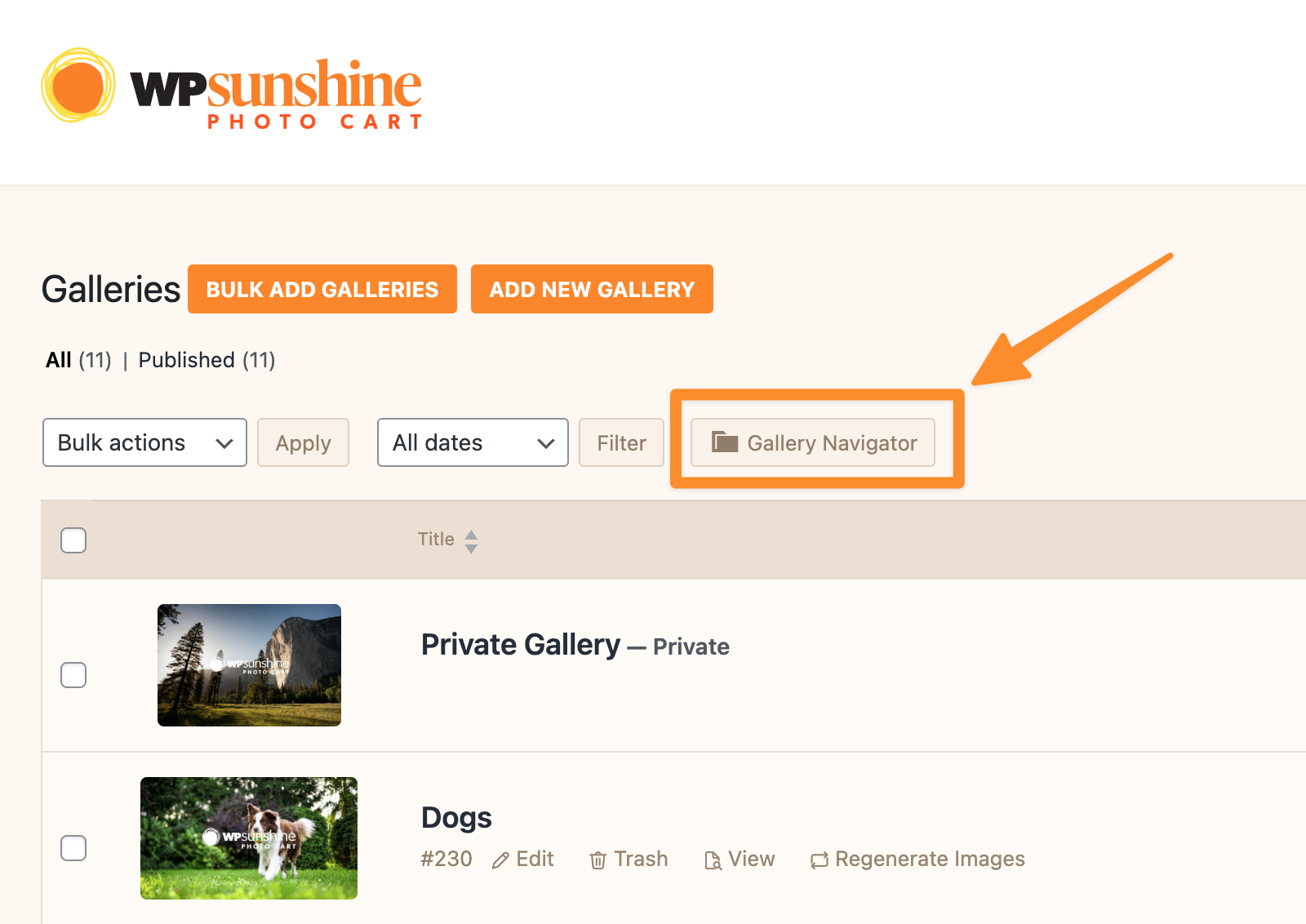
The navigator opens as a popup overlay on top of your current page:

Navigating Your Galleries
The navigator displays your galleries as a collapsible tree. Top-level galleries appear first, and any gallery with sub-galleries has an arrow you can click to expand and see its children.
- Click the arrow next to a gallery name to expand or collapse its sub-galleries
- Each gallery shows the number of images and number of sub-galleries it contains
- Status icons indicate if a gallery is password-protected (lock icon), private (eye icon), draft, or expired
Searching Galleries
The search bar at the top of the navigator lets you find any gallery instantly.
- Type a gallery name (or part of it) into the search field
- Results appear immediately as you type
- Each result shows a breadcrumb trail so you can see where the gallery sits in your hierarchy (e.g., "2024 Events › Smith Wedding › Ceremony")
- Click Clear to return to the full tree view
Reordering Galleries
You can change the display order of galleries within the same level by dragging and dropping.
- Hover over the drag handle (three horizontal lines) on the left side of a gallery
- Click and drag the gallery to its new position
- Release to drop it in place — the new order saves automatically
Notes
- The navigator loads sub-galleries on demand, so it stays fast even with hundreds of galleries.
- Reordering only works within the same parent level. To move a gallery to a different parent, edit the gallery directly.
- Expired galleries appear faded to help you identify them at a glance.
Still need help?
If you have not yet found your answer in the documentation articles, please contact support